Input & Upload Guide
This section guides you through what to prepare before uploading your images and starting generation. It covers choosing the right input type, using correct image formats, and avoiding common mistakes that can affect output quality.
Garment Preparation
For the best results, make sure garments are clean, well-ironed, and neatly arranged before capturing images. Vtryon supports flat-lay, mannequin, and model-based inputs — follow the guidelines below to choose the right format.
Flat-Lay Shots
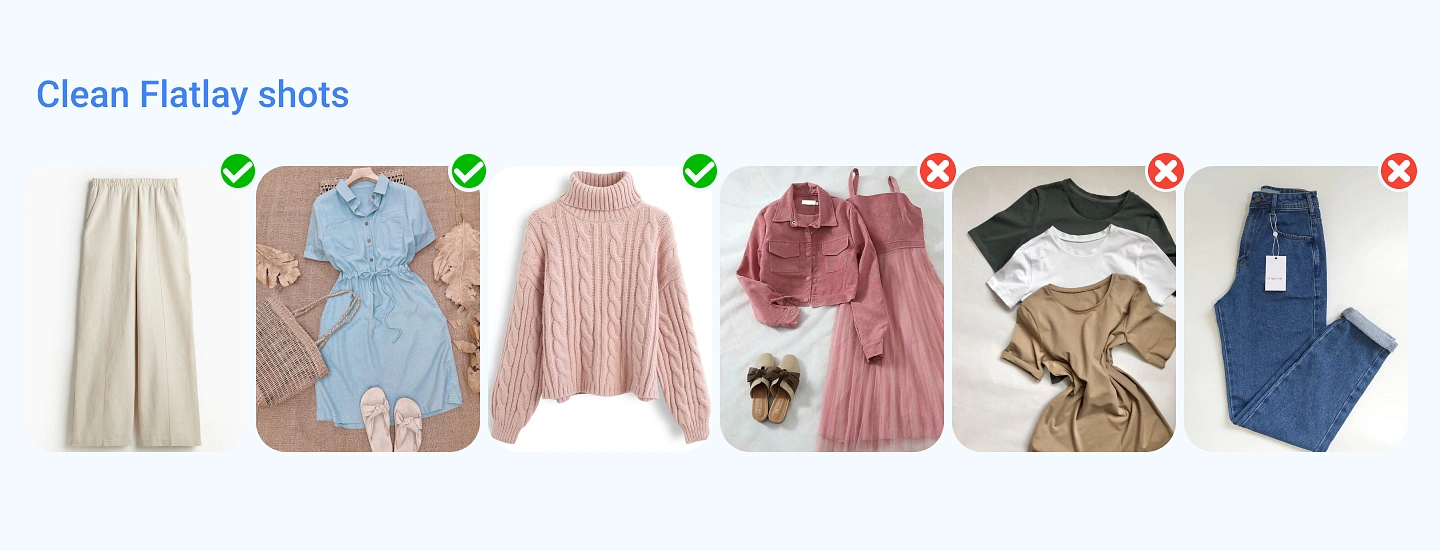
Flat-lay images are an effective way to present garments clearly. Place the item on a flat surface in a well-arranged manner so its full shape, structure, and details are easy to understand. A clean setup helps improve accuracy and overall output quality.
✅ DOs
- Place the garment flat and straight with a smooth, wrinkle-free setup
- Ensure the entire garment is fully visible within the frame
- Use a clean, plain background to keep focus on the product
- Capture the image with good lighting and clear visibility
❌ DON'Ts
- Avoid garments that are folded, crumpled, or poorly arranged
- Do not use busy or distracting backgrounds
- Avoid low-light or unclear images
- Do not upload cropped or partially visible garments
- Avoid using this format for heavy or layered ethnic outfits
Hanger Shots
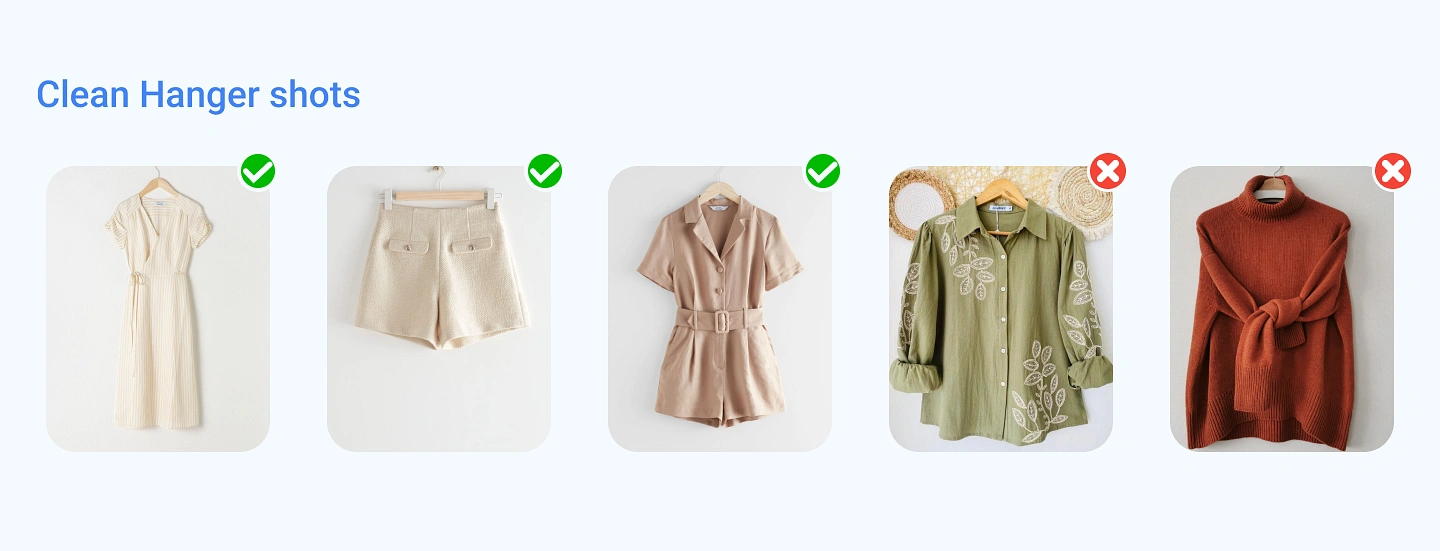
Hanger shots work well when the garment is displayed in a natural hanging position. Make sure the item is centered, properly aligned, and fully visible so its shape and structure are easy to understand.
✅ DOs
- Hang the garment straight so it maintains a natural and balanced shape
- Keep the item centered and fully visible within the frame
- Use a clean, uncluttered background to highlight the garment
- Capture the image in good lighting with clear, sharp details
❌ DON'Ts
- Avoid garments that are hanging unevenly or appear distorted
- Do not upload images where parts like sleeves or hem are cut off
- Avoid blurry, low-quality, or shadow-heavy photos
Model Shots
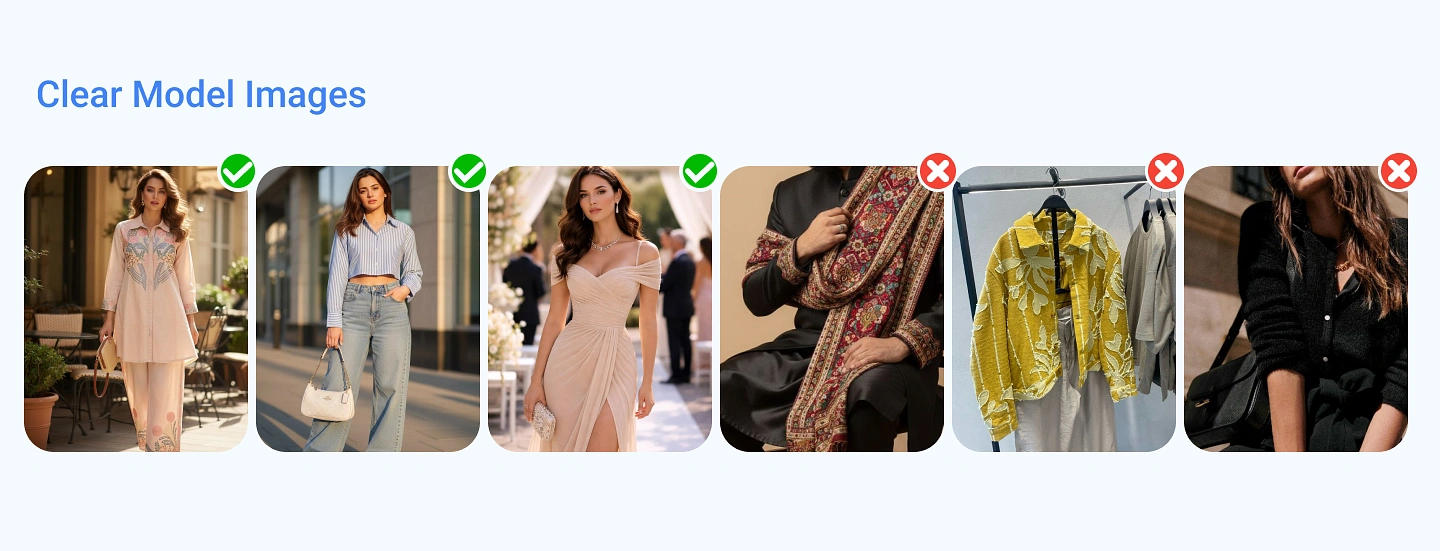
Model shots are ideal for garments where fit, drape, and overall styling need to be clearly understood. This is especially useful for outfits with layered fabrics or flowing silhouettes. A clear model image helps capture the garment’s shape, length, and overall appearance more accurately.
✅ DOs
- Use full-body or three-quarter images where the garment is clearly visible
- Ensure the drape and flow of the outfit can be easily seen, especially for longer or layered styles
- Choose clean backgrounds with proper lighting for better clarity
- Keep the model’s pose natural so the garment remains fully visible
- Make sure key areas like length, sleeves, and structure are not hidden
❌ DON'Ts
- Avoid images where the garment is blocked by props, accessories, or objects
- Do not use cluttered or distracting backgrounds
- Avoid poses that hide important parts of the outfit
- Do not upload cropped frames where the full length is not visible
- Avoid sitting or awkward poses that distort the garment’s shape
Mannequin Shots
Mannequin shots are ideal for presenting garments in a clean and structured way without using a human model. They work best for outfits where shape, layering, and fabric fall need to be clearly visible. This format is especially useful for sarees, layered sets, lehengas, dresses, and garments with detailed work or multiple components.
✅ DOs
- Use mannequin images where the garment is properly fitted and aligned
- Ensure the full outfit is visible from top to bottom
- Arrange the drape and fabric flow clearly, especially for layered pieces like dupattas
- Keep the presentation neat so the structure is easy to understand
- Use a plain background with good, even lighting
❌ DON'Ts
- Avoid images where the garment looks incomplete or poorly arranged
- Do not upload garments that appear folded, uneven, or messy on the mannequin
- Avoid cluttered or distracting backgrounds
- Do not use images with low lighting or unclear visibility

Multiple Image Uploads
Vtryon supports multiple image uploads for a single garment, and each image can be named manually. Giving proper names to each image is important because it helps the system understand which view or detail it should use during generation. Use simple, accurate names like front, back, side, detail, close-up, pallu detail, sleeve detail, or border detail to improve detail preservation and overall output quality.
Common Styling Mistakes
To achieve accurate results in Vtryon, garment images should clearly show the product’s shape, structure, and key details. Issues like extra folds, overlapping elements, incorrect angles, or distracting backgrounds can reduce clarity and affect output quality. These problems may lead to distorted shapes or missing details. Below are some common styling mistakes to avoid.
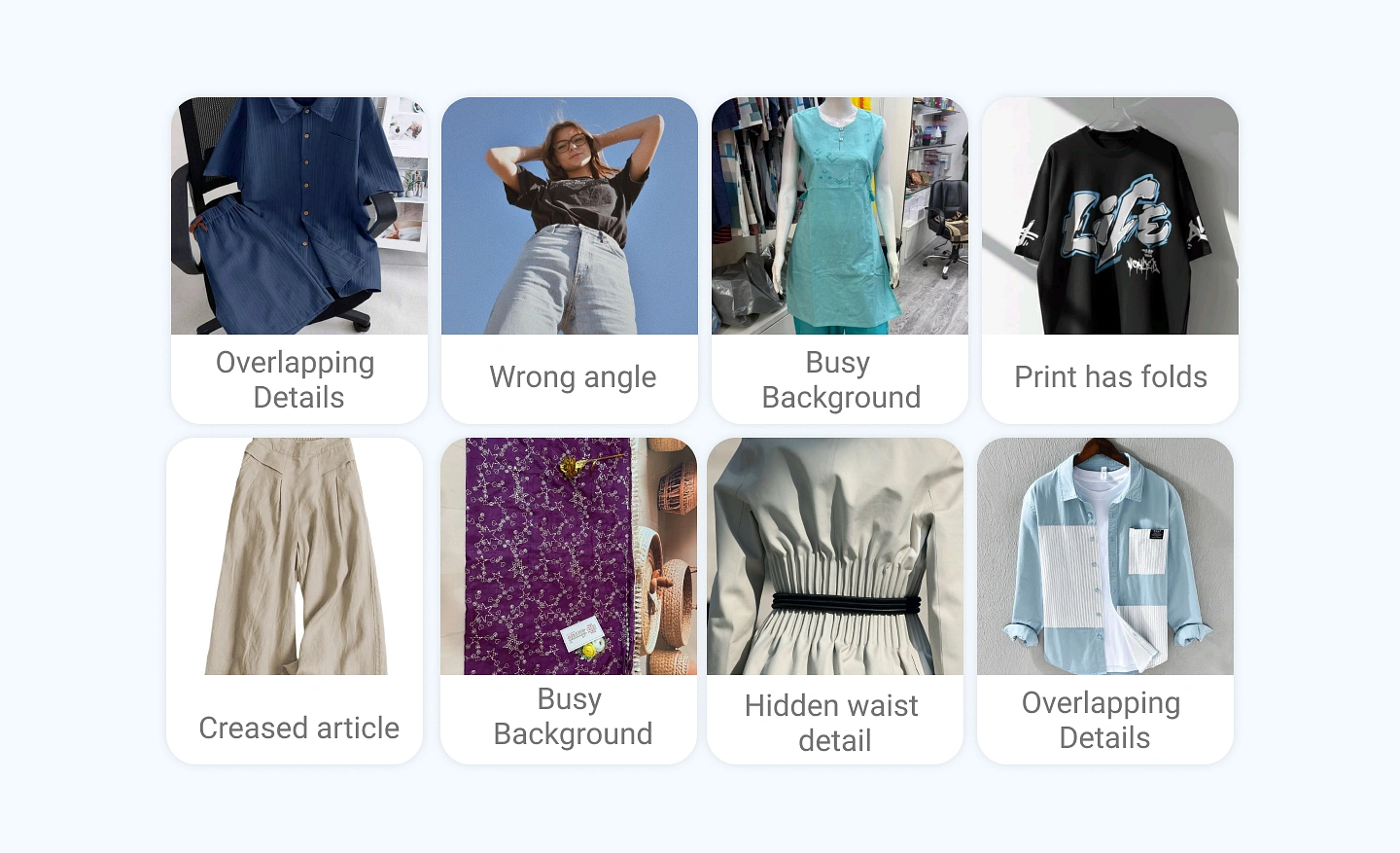
Wrong Angle: Avoid tilted or dramatic angles. Straight, centered shots maintain correct proportions and structure.
Busy Background: Avoid cluttered backgrounds. A clean, plain backdrop keeps the garment clear and well-defined.
Folded or Broken Prints: Wrinkled or folded printed fabrics can distort patterns and misplace design elements.
Creased / Wrinkled Garments: Heavy creases hide structure and affect overall garment clarity. Smooth, ironed garments work best.
Hidden Waist Detail: Covered waistlines (by hands, drapes, or folds) affect length and fit accuracy.
Multiple Garments in One Frame: Avoid overlapping garments in a single image. Upload one clear garment per frame.
Examples That Impact Output Quality
Below are some common input issues and how they can affect the final results in Vtryon.
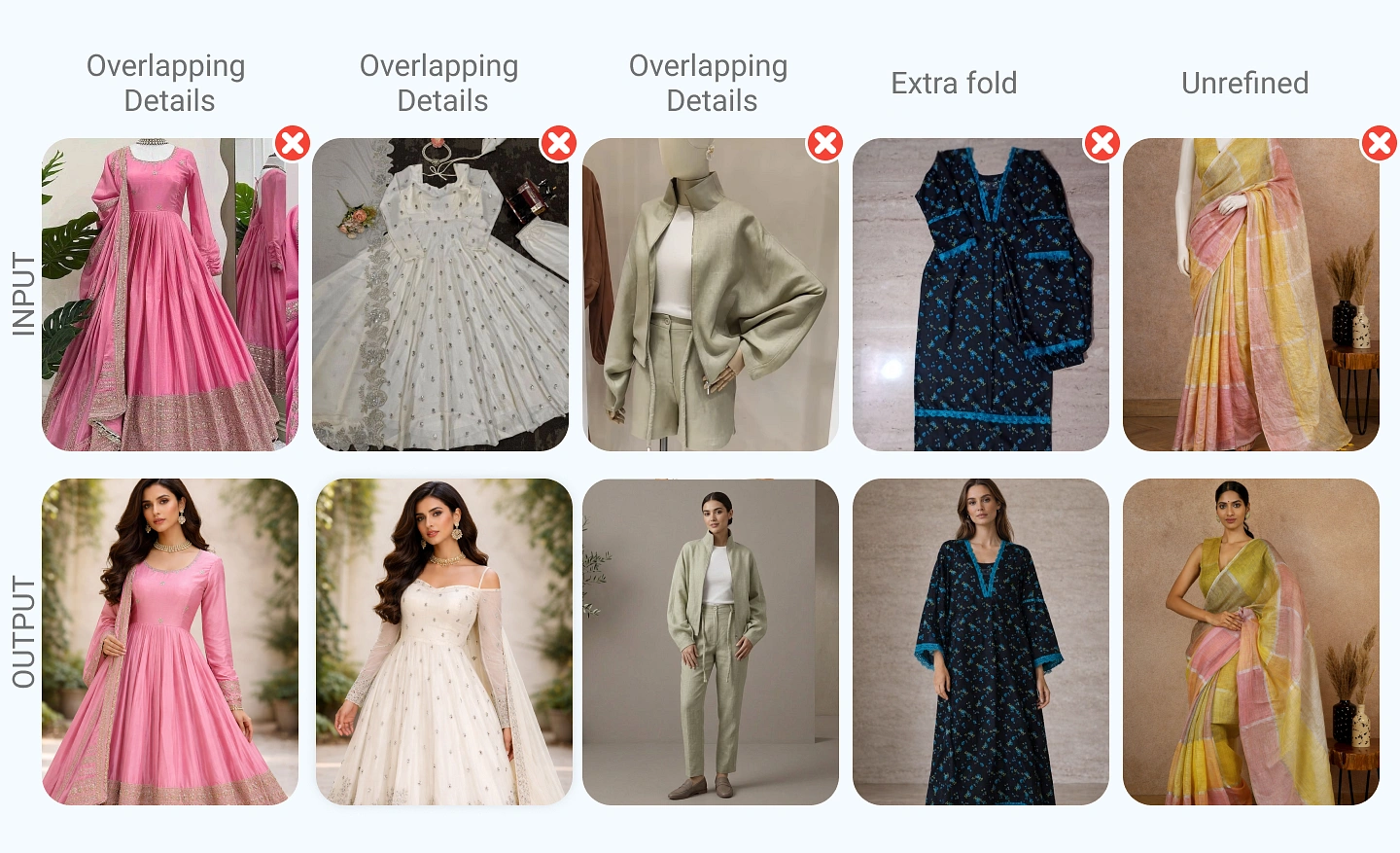
Image A — Dupatta Visible from the Sides
When the dupatta appears along the front sides, it can blend with the garment and confuse the structure. This may lead to incorrect sleeve shapes or extra fabric around the arms.
Image B — Dupatta Covering the Sleeves
If the dupatta overlaps the sleeves, the sleeve structure becomes unclear. This can result in missing or incorrectly shaped sleeves in the output.
Image C — Unclear Garment Structure
Garments without a clearly defined shape, such as tube or corset styles, may appear ambiguous. This can cause the system to add unwanted layers or sleeve details.
Image D — Folded Sleeves
Folded or tucked sleeves can distort the original design and may be interpreted as additional elements in the final output.
Image E — Wrinkles and Poor Draping
Creases or uneven draping can reduce clarity and affect how the garment is interpreted. This may result in less refined outputs.
Images That Need Special Care
Some garment types and image styles require extra attention to achieve accurate results in Vtryon. Inputs with transparent fabrics, sensitive areas, or tightly cropped views may need specific formats for better clarity. These garments are fully supported — they just need to be captured and uploaded in the right way. Below are key cases to keep in mind.
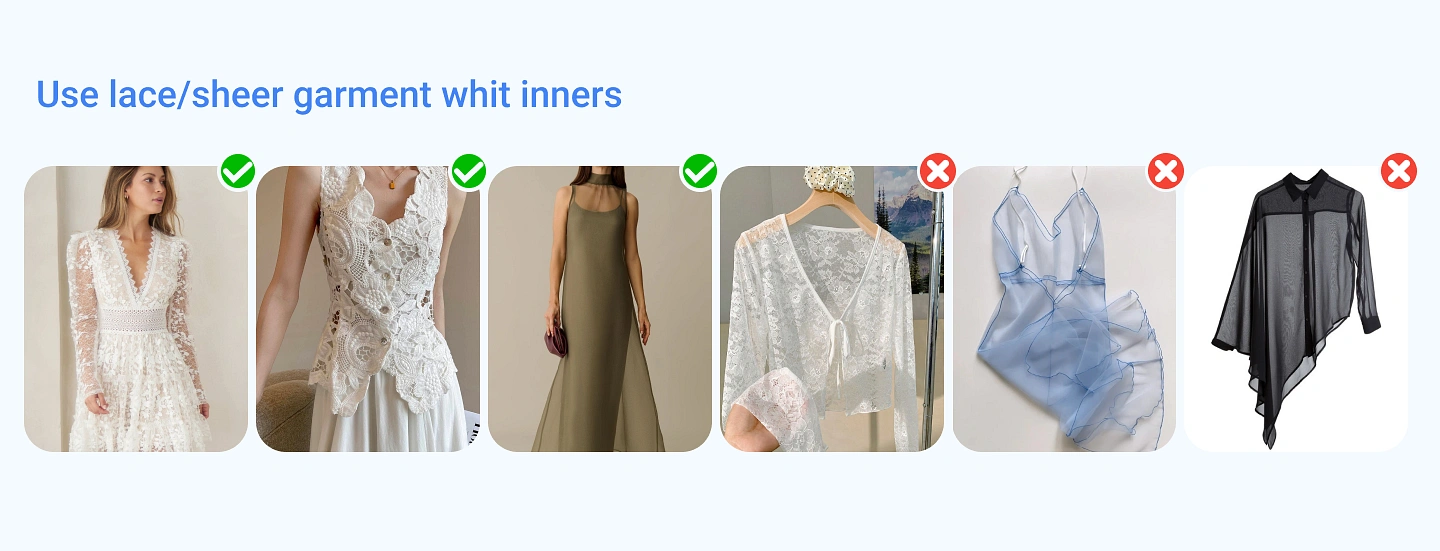
Sheer / Transparent Garments (Net, Mesh, Organza, Lace)
Sheer or transparent fabrics can be harder to interpret because their edges and layers are less defined. This may affect how the garment is detected or processed in the final output.
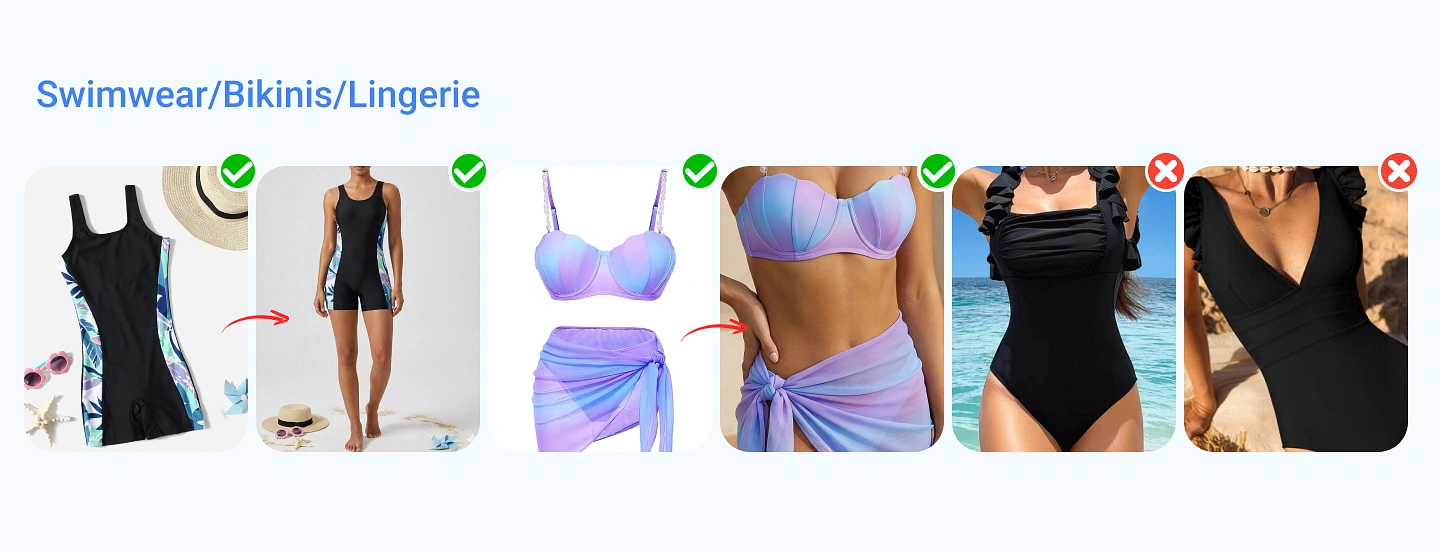
Lingerie, Undergarments & Bikini Sets
Garments like lingerie, undergarments, or bikini sets may be treated as sensitive when shown on real models, which can affect processing and results. To ensure better accuracy and smooth generation, these items should be presented in a clear and structured format.
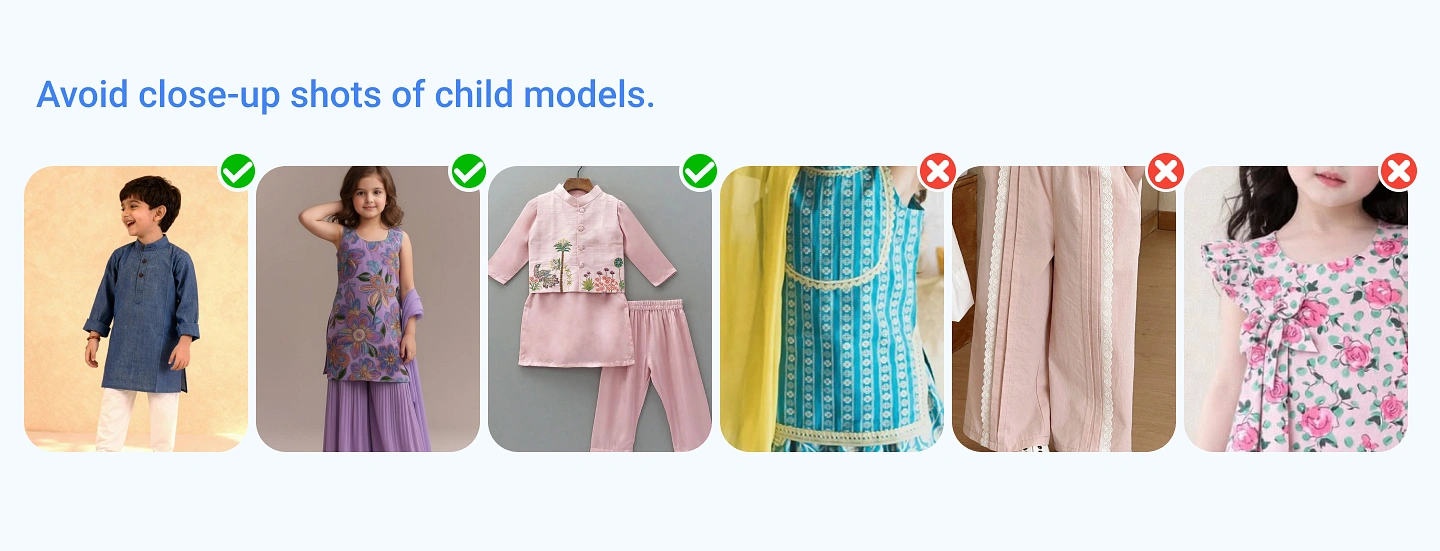
Kids Garments Close-Ups
Close-up images of kids’ garments can sometimes reduce clarity or interrupt processing. To ensure better results, use mid-length or full-length shots where the garment is clearly visible and easy to understand.
Performance Comparison
Strong Uploads
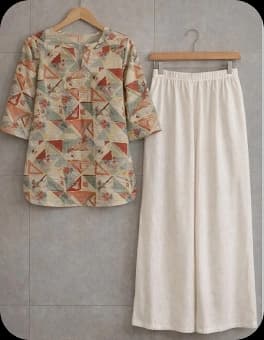
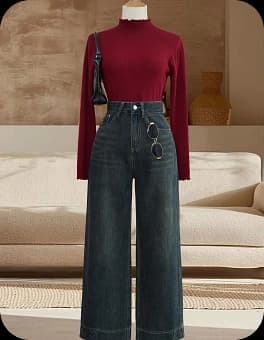
Clear contrast between garment and background. No overlaps or obstructions.
Common Mistakes
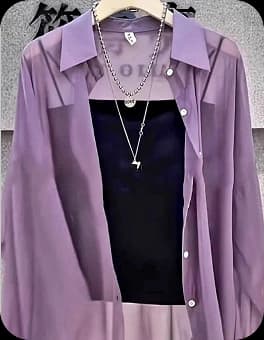
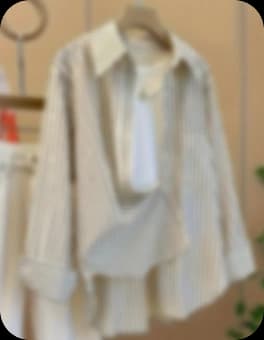
Avoid complex backgrounds, blurry subjects, and heavily filtered photos.
Upload Summary
The Checklist
- Front view as primary upload
- Studio/Neutral lighting
- Images are clean
- Each uploaded image has a proper name
Ready to Start?
Everything is prepared for high-quality production.