Add Virtual Try-On to Your WooCommerce Product Pages
Boost conversions and reduce returns with our seamless, low-code integration for WordPress & WooCommerce stores.
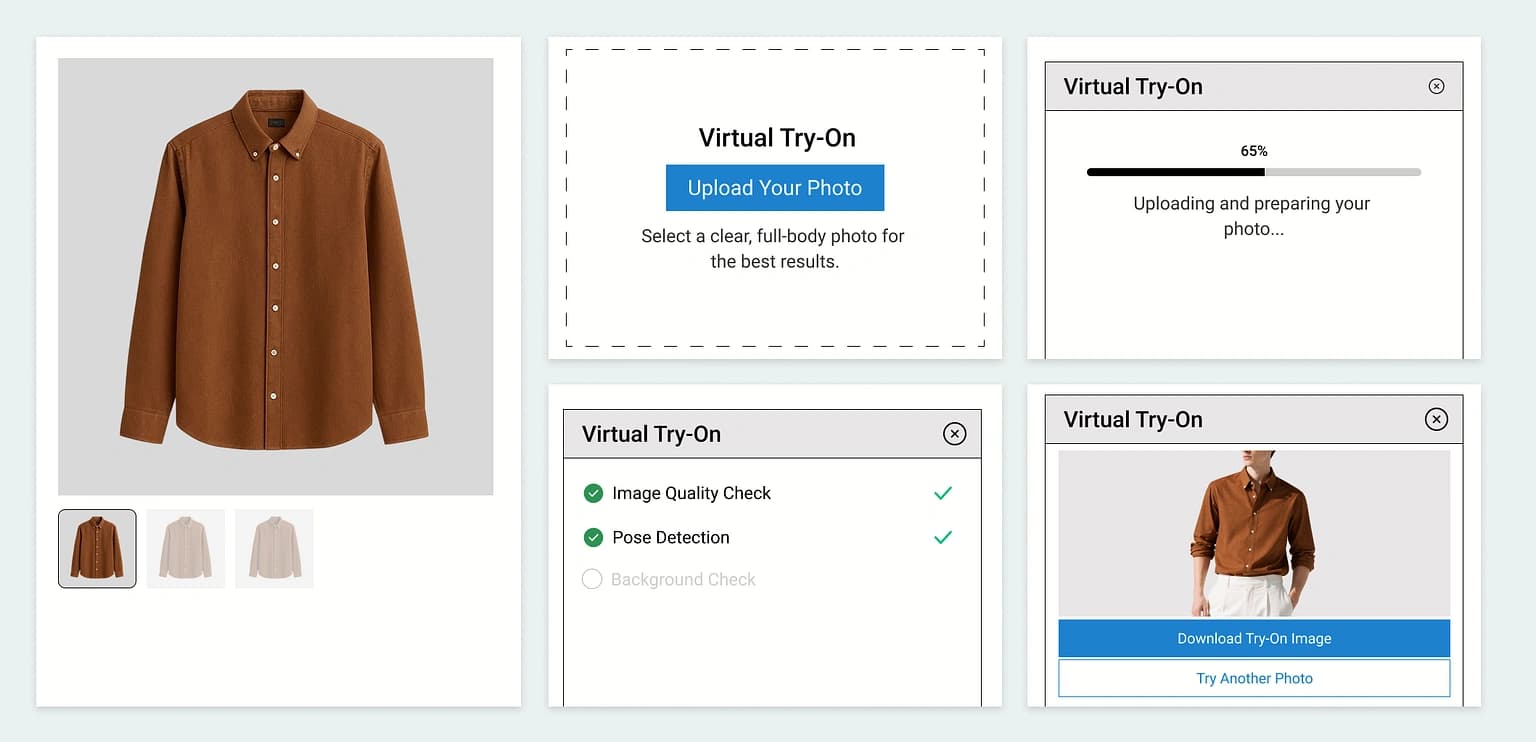
Why Choose Vtryon for WooCommerce?
Specifically engineered for high-scale WooCommerce stores.
Install the plugin, add your Vtryon API token and storefront settings, and start syncing products in under 5 minutes.
The 'Try On' button integrates directly into your product pages, matching your theme perfectly.
Increase purchase confidence by allowing customers to see how clothes fit on them.
How It Works
Sync your store in four simple steps to go live with Try-On.
Install Plugin
Download and install our lightweight WooCommerce plugin on your WordPress site.
Add API Token
Paste your Vtryon API token in WooCommerce → Vtryon. It is stored server-side only and sent as x-api-key on each request.
Sync Products
Map products using smart Sync (gallery picker or upload) or confirm featured-image Sync All for unmapped items.
Go Live
The Try-On button automatically appears on mapped products for your customers.
Storewide, visibility, and placement controls
Decide when try-on appears and where the block sits on product pages.
Built Specifically for WooCommerce
Lightweight Footprint
Optimized code that won't slow down your page load times or affect SEO.
Theme Compatible
Works out of the box with popular themes like Astra, Hello Elementor, and Divi.
Clean UI Integration
The button inherits your theme's typography and styles for a native feel.
Mobile First
Responsive design ensures a smooth try-on experience on all screen sizes.

Integration Modules
Deep dive into every aspect of the WooCommerce Vtryon engine.
Ready to Transform Your Store?
Join 50+ fashion brands using AI to drive 3x more conversions.