Virtual Try-On
The final and most powerful stage of our production pipeline. Learn how to merge real customer or model photography with your digital garment assets.
The Try-On Engine
Our advanced diffusion engine handles complex fabric interactions, ensuring that every drape, shadow, and fold matches the person's unique body contours and the surrounding lighting environment.
Preparation Checklist
- Clear facial features in customer photography
- Minimum high-resolution garment asset
- Stable lighting without heavy overlapping shadows
- Person standing in a neutral, open pose
Engine Notes
• Fabric Physics: Our engine supports Silk, Cotton, Leather, and Denim specifically for high-accuracy results.
• Detail Preservation: Fine embroidery and button details are automatically restored during the final merge phase.
• Background Match:Lighting is balanced to make the garment look like it's actually in the original photo's room.
Try-On Workflow
Follow these 5 steps in our high-speed diffusion engine to see your garments on any person instantly.
Select Source Image
Upload Customer Photo
Choose a clear portrait or full-body photo. Our system analyzes the body contours and lighting of the person to ensure a seamless garment fit.
- Full-body or waist-up shots supported
- Works with custom models or customer photos
- Auto-analysis of body proportions
Map Digital Garment
Select Garment
Select the garment from your existing library or upload a new flat shot. The AI will intelligently prepare the layers for the try-on process.
- Support for complex ethnic wear layers
- Instant flat-to-model mapping
- High-resolution texture preservation
Review Proxy Preview
Review Combination
Review a low-fidelity preview to confirm the alignment and style. This saves time by allowing adjustments before starting the final 4K render.
- Preview scale and garment positioning
- Check for optimal model compatibility
- Adjust parameters before full generation
Generate Try-On
Activate our advanced physics engine. The AI calculates fabric drape, light scattering, and shadow placement for a result that looks 100% real.
- Realistic fabric folding and shadows
- Natural lighting integration
- High-performance GPU rendering
Open Result
Your high-fidelity try-on is ready. Review the final details and export the image in any format for your marketing channels.
- 4K Premium output card
- Download in common aspect ratios
- Social-media ready visuals
Pro Production Tips for Try-On
To ensure your final try-on results are 100% realistic and accurate, please follow these production guidelines.
Use a Plain Background
Prefer white or light neutral backgrounds. Avoid patterns, colors, or heavy shadows to preserve true garment colors.
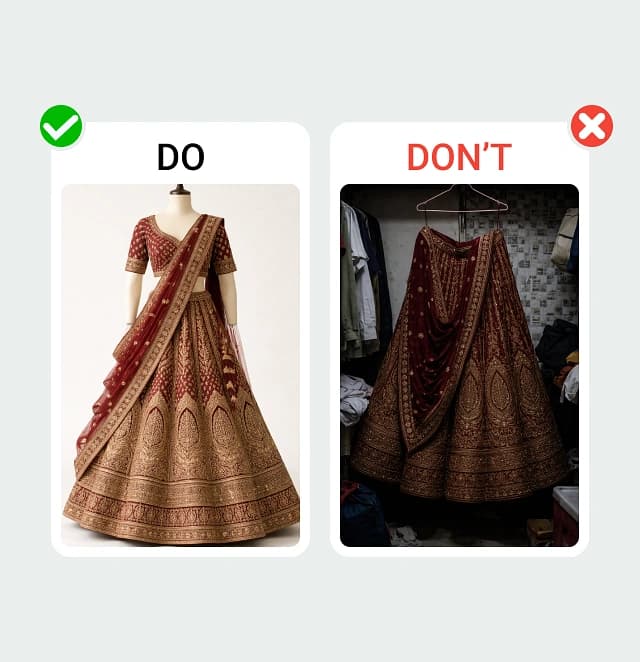
Clean backgrounds help AI preserve true colors.
Show the Full Garment
Upload a full front view. Ensure the entire outfit is visible; do not cut off the pallu, hemline, sleeves, or neckline.
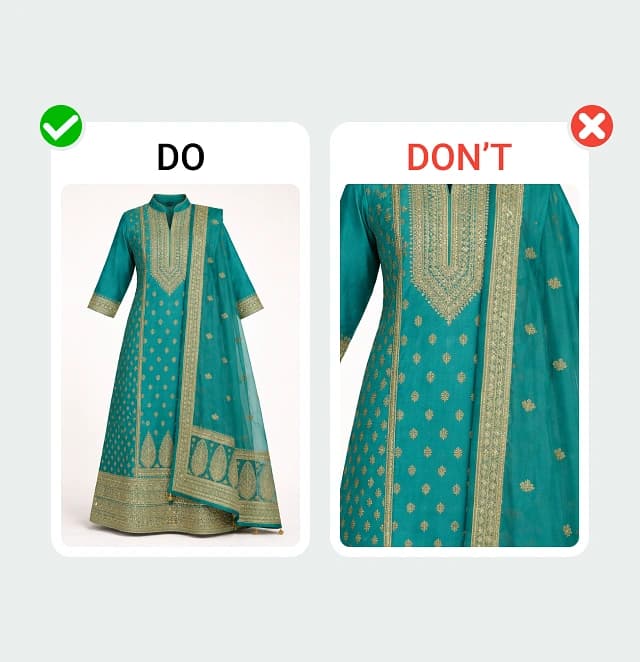
Missing areas may cause AI to guess the structure.
Add Close-Up Detail
Highly Recommended: Upload close-ups of embroidery and fabric texture to maintain exact motif placement.
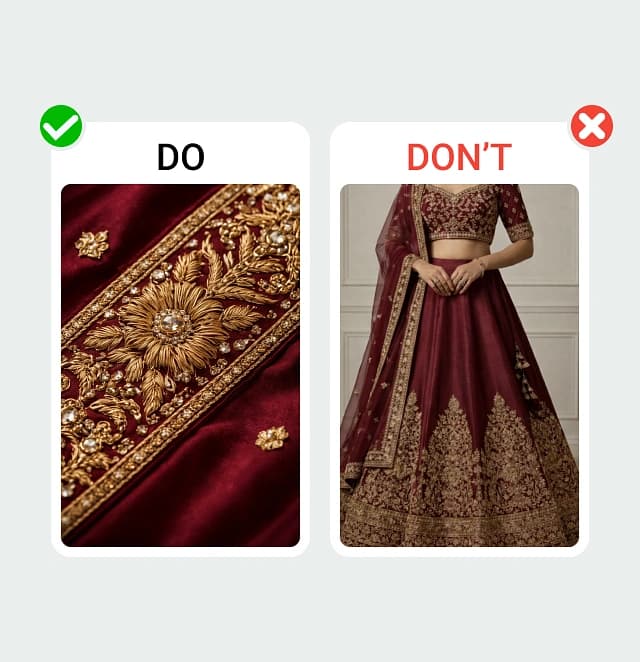
This helps maintain exact motif placement.
Avoid Filters & Editing
Do NOT apply Instagram filters or heavy contrast edits. Natural-color images only to prevent fabric color changes.
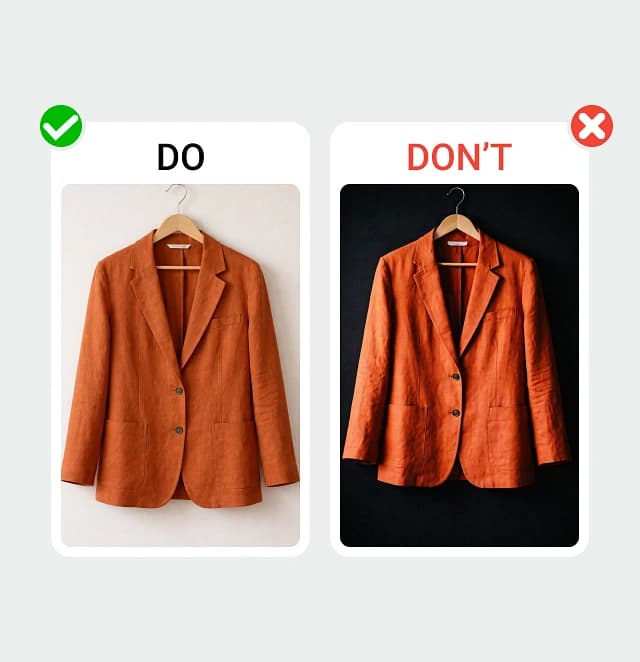
Filters can change original fabric colors.
One Outfit Per Upload
Upload only one complete outfit. Do not mix unrelated garments.
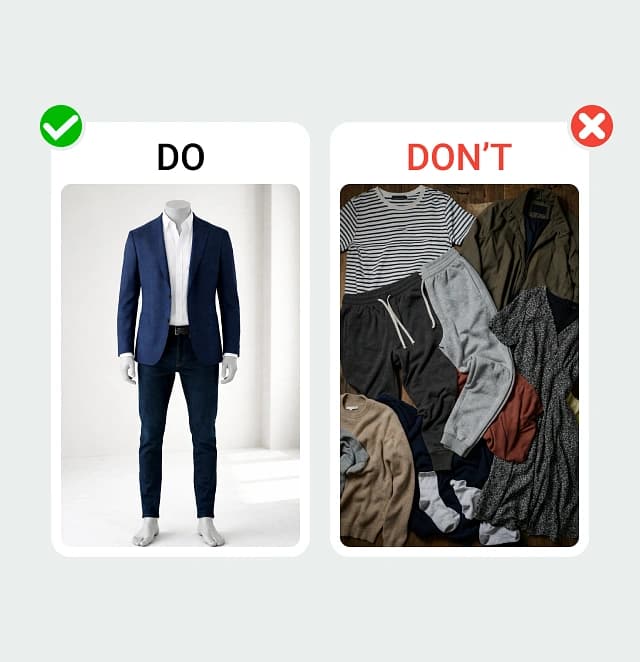
AI will ignore non-matching garments.
High-Quality Images
Use 2000px+. Garments should be sharp. Do NOT use blurry photos or WhatsApp-compressed images.
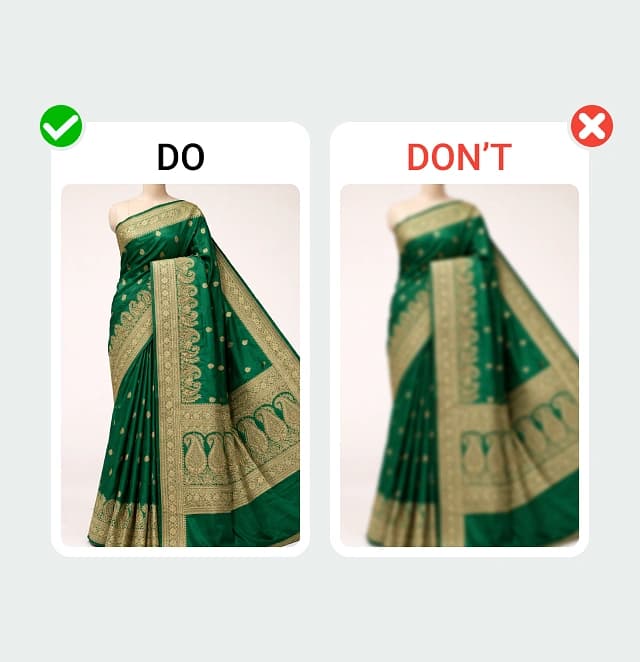
High resolution ensures better design accuracy.
You're All Set!
You have completed the Vtryon Production Guide. Explore more features or restart the guide.