Step-by-Step Guide to Creating Your First AI Model with Vtryon
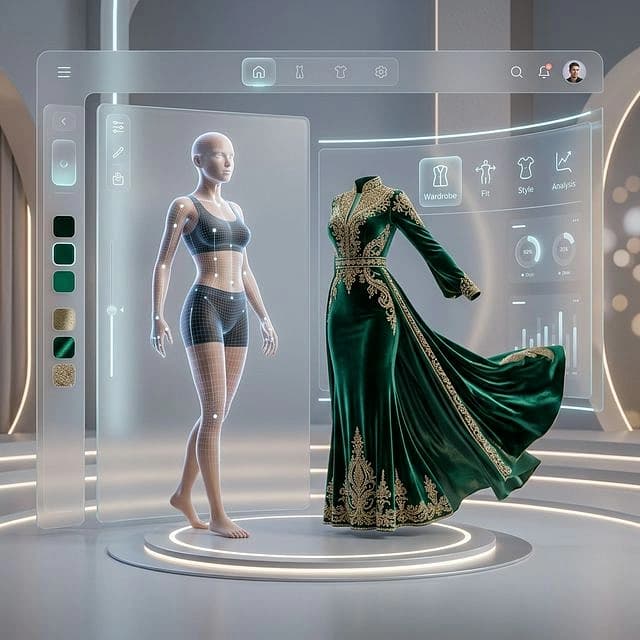
Artificial intelligence is rapidly transforming how fashion brands create product visuals.
Traditionally, launching a clothing collection required hiring models, organizing photoshoots, and editing catalog images. The process could take weeks before a collection was ready for ecommerce platforms.
Today, AI-powered virtual try-on systems allow brands to generate product visuals digitally. Instead of relying entirely on traditional photoshoots, sellers can simulate how garments appear on digital models.
One platform that enables this workflow is Vtryon, a tool designed to generate virtual try-on previews using artificial intelligence.
For fashion brands, ecommerce sellers, and designers, Vtryon provides a practical way to create product visuals faster.
However, many beginners encounter the same challenge.
They are unsure how to create their first AI model correctly.
The setup process may appear complicated at first. Users often struggle with preparing garment images, configuring model settings, and understanding how AI processes clothing data.
Once the workflow becomes clear, however, the process becomes much easier.
This guide explains exactly how to create your first AI model in Vtryon, including preparation steps, practical examples, and best practices for achieving strong results.
What Is Vtryon?
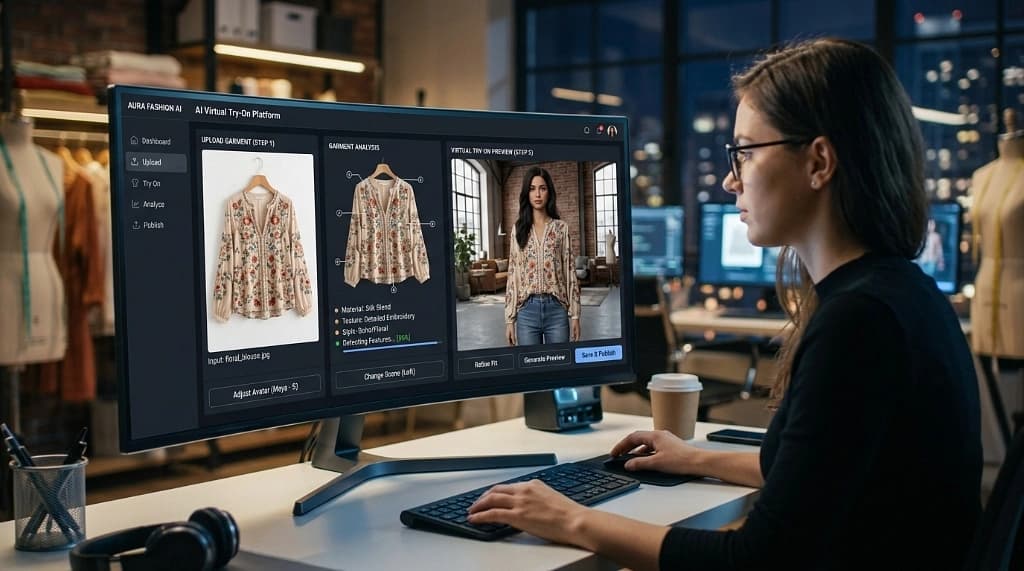
Vtryon is an AI-powered platform designed to simulate how clothing appears when worn.
Instead of photographing garments on multiple models, fashion sellers upload garment images into the platform.
The AI analyzes these images and applies the garments to digital models, generating realistic product visuals.
Virtual try-on technology typically combines several technologies.
Artificial intelligence analyzes garment structure and patterns.
Computer vision identifies clothing edges and shapes.
Image generation algorithms apply garments to digital models and simulate realistic previews.
The result is a visual representation that helps customers understand how clothing may look when worn.
Industry research suggests that AI-driven tools will significantly influence fashion ecommerce in the coming years.
A report from McKinsey explores how generative AI is shaping fashion design, marketing, and retail experiences.
Platforms like Vtryon are emerging as part of this larger shift toward AI-powered fashion workflows.
Why Fashion Brands Are Using AI Models
Fashion retailers are increasingly experimenting with AI modeling tools for several reasons.
First, AI models reduce production costs.
Traditional fashion photoshoots require photographers, models, stylists, and editing teams. AI-generated visuals allow brands to produce product images digitally.
Second, AI models accelerate product launches.
Brands can generate catalog images quickly without scheduling photoshoots.
Third, AI models improve the ecommerce experience.
Virtual try-on previews help customers visualize garments more clearly before purchasing.
This improved visualization can increase buyer confidence.
Technology companies are also exploring AI-powered clothing visualization tools.
For example, Google introduced an AI-powered virtual try-on feature that allows shoppers to view clothing displayed on models with different body shapes.
Instead of relying on a single catalog image, customers can explore garments across multiple digital models.
This development shows how AI-powered fashion visualization is becoming an important part of online shopping.
Requirements Before Creating Your First AI Model
Before building an AI model in Vtryon, it is important to prepare the necessary inputs.
The quality of garment images directly affects the final output.
Poor input images often lead to distorted AI results.
To achieve the best outcomes, garment images should meet several requirements.
They should use simple backgrounds.
The full garment should be visible within the frame.
Lighting should be even and consistent.
Images should have high resolution so the AI can detect garment details.
Proper garment preparation dramatically improves the accuracy of AI-generated visuals.
Step-by-Step Guide to Creating Your First AI Model in Vtryon
Once your garment images are ready, you can begin building your AI model.
Below is the workflow followed by most Vtryon users.
Step 1: Create a Vtryon Account
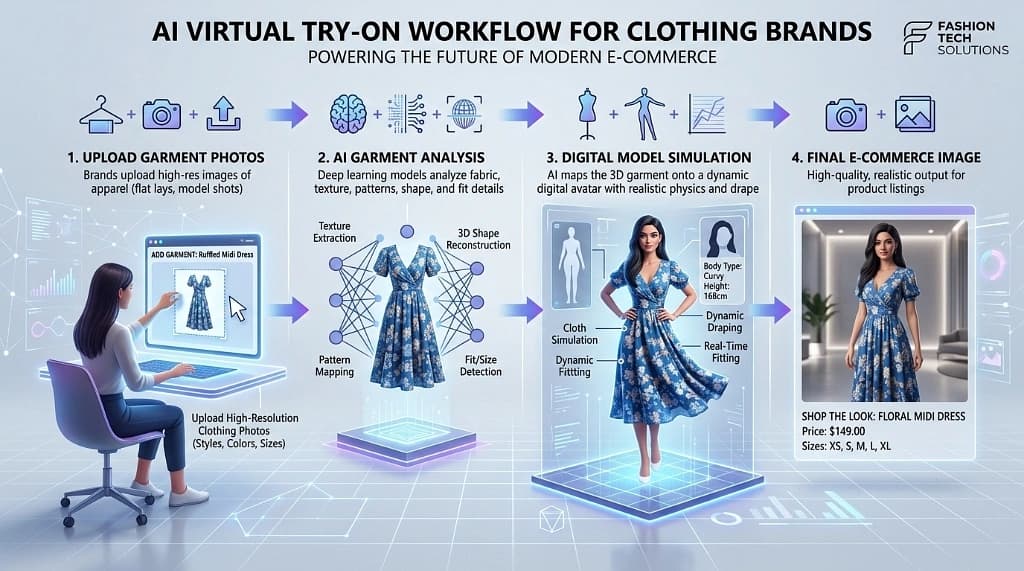
The first step is creating a user account on the Vtryon platform.
After registering, you will gain access to the platform dashboard.
The dashboard allows you to upload garments, manage models, and generate virtual try-on visuals.
Many users organize garments into projects or collections within the platform.
This helps manage larger product catalogs efficiently.
Step 2: Upload Garment Images
After accessing the dashboard, upload the garment images prepared earlier.
The AI system analyzes these images to detect garment edges, shapes, and design patterns.
High-quality images with clean backgrounds allow the AI to interpret garment structure more accurately.
If the image contains cluttered backgrounds or cropped garments, the system may produce distorted results.
Step 3: Configure AI Model Settings
Once garments are uploaded, configure the model settings.
Most platforms allow users to choose several visual parameters.
These may include model body type, pose style, background environment, and render quality.
Experimenting with these options allows brands to generate visuals that match their brand style.
Step 4: Train the AI Model
After configuration, the AI model begins training.
During this process, the system analyzes garment structure and learns how to apply it to digital models.
Training time varies depending on garment complexity and image quality.
Once training is complete, preview outputs become available.
Step 5: Generate Virtual Try-On Images
The final step is generating virtual try-on images.
These visuals show how garments appear when worn by digital models.
Users can generate multiple variations by adjusting poses or backgrounds.
This flexibility allows brands to create diverse product visuals quickly.
Real Example: AI Models in Fashion Retail
AI-generated fashion visuals are already being explored by clothing brands.
For example, Levi’s announced that it was experimenting with AI-generated fashion models created with the technology company Lalaland.ai.
The initiative aimed to increase diversity in fashion imagery and explore new ways to produce product visuals efficiently.
Although AI-generated models are still evolving, this example highlights how fashion brands are experimenting with AI visualization technologies.
Common Mistakes When Creating AI Models
Many beginners experience poor AI outputs during their first attempts.
Common mistakes include:
- Uploading low-resolution garment images
- Using cluttered backgrounds
- Cropping parts of the garment
- Uploading wrinkled clothing
- Using inconsistent lighting
These issues prevent AI systems from interpreting garment structures correctly.
Avoiding these mistakes significantly improves output quality.
Best Practices for Better AI Results
Fashion brands that achieve strong AI results usually follow consistent workflows.
They maintain uniform photography standards for garment images.
They prepare garments carefully before photographing them.
They test different AI model settings and adjust configurations when necessary.
Most importantly, they treat garment preparation as a critical step in the AI modeling process.
When garment images are prepared properly, AI systems generate far more realistic results.
Key Takeaways
AI-powered platforms like Vtryon are changing how fashion brands create product visuals.
Instead of relying entirely on traditional photoshoots, sellers can generate virtual try-on previews using artificial intelligence.
However, the quality of AI outputs depends heavily on how the first AI model is created.
Preparing clean garment images, configuring settings carefully, and avoiding common mistakes can significantly improve results.
Fashion brands that experiment with AI modeling early may gain a strong advantage in digital retail.
The best approach is to start simple, test the workflow, and gradually refine the process.
Fashion ecommerce is evolving quickly.
Brands that learn how to use AI visualization tools effectively will be better positioned to scale their product catalogs and improve the online shopping experience.